Claude Free Plan Limits: How the 5-Hour Reset Actually Works
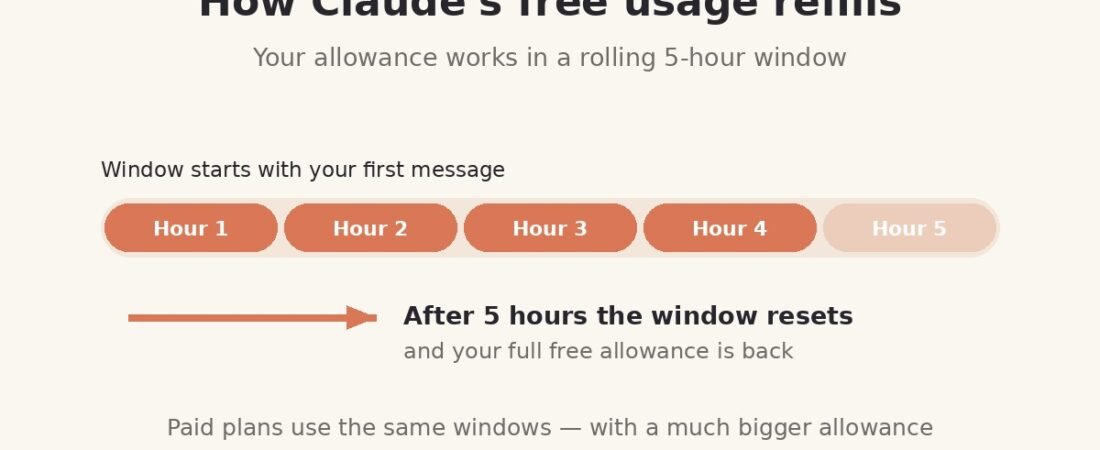
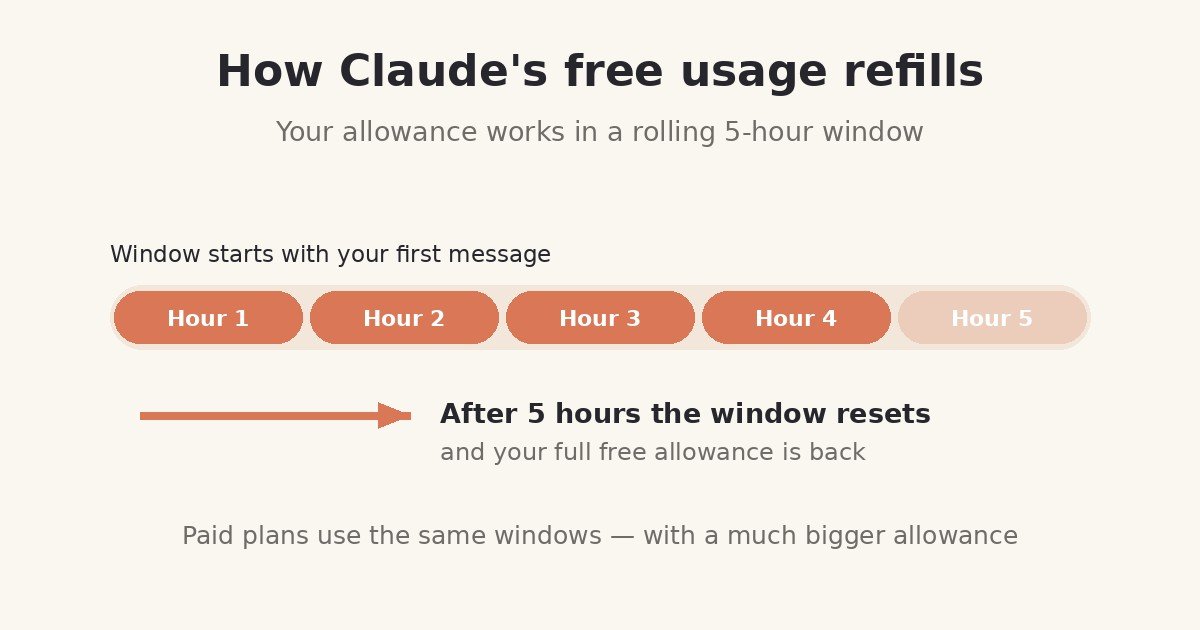
Short answer: Claude’s free plan has no fixed message count. Anthropic does not give free users a set number of messages per day, and any website that quotes you an exact figure is guessing. What you actually get is a usage allowance that runs on a rolling five-hour session window: your session starts with your first message, everything you do in the next five hours draws from one shared pool, and when the five hours are up, the allowance refills.
That design is why two free users can have completely different experiences — one sends forty short questions and never sees a limit, another hits the wall after six messages in a long conversation with a big PDF attached. This guide explains how the meter really runs, why it sometimes runs out fast, and how to get the most work out of the free allowance without paying anything.
Contents
– The short answer: a window, not a quota
– How the meter actually runs
– Session limit vs weekly limit — and why weekly does not apply to free
– Why you hit the limit after “only a few messages”
– Seven ways to stretch the free allowance
– What happens when you hit the limit
– When the limits mean Pro is worth it
– Frequently asked questions
– The bottom line
The short answer: a window, not a quota
Most free tiers work like a bucket of tokens: you get, say, 25 messages a day, and when they are gone, they are gone until midnight. Claude’s free plan does not work that way.
In Anthropic’s own terms, from its pricing page (checked 20 October 2026):
- Every plan has usage limits that reset on a rolling five-hour session window. The session starts with your first message — not at midnight, not at a fixed hour.
- There is no fixed message count. How much you can do “depends on the length and complexity of your conversations, the model you choose, and the features you use, so there’s no fixed message count.”
- Anthropic may apply other caps at its discretion to keep access fair for everyone, and effective limits can tighten when demand is high.
So the honest answer to “what are Claude’s free plan limits?” is: a five-hour session allowance, metered by the work your messages require, which refills five hours after your session started. Everything else in this article follows from those three facts.
How the meter actually runs
Because the allowance is metered by work rather than by messages, what you ask matters as much as how often you ask. Three things decide how fast your pool drains:
1. Conversation length
Every time you send a message, Claude processes the conversation so far — not just your new message. Message ten in a thread therefore costs more than message one, and message thirty costs more again. A single long, sprawling conversation is the most expensive way to use the free plan; several short, focused conversations are cheaper for the same amount of help.
2. Attachments and tools
A PDF, a spreadsheet or an image adds content that Claude has to process on every turn of that conversation. Features that do extra work per request — web search, file creation, code execution — also draw more from the pool than a plain chat reply. One request to analyse a 200-page document can cost more than a dozen one-line questions.
3. The model you choose
Heavier models do heavier work. On the free plan you are mainly using Sonnet (with Haiku for lighter tasks), which keeps the meter moderate — one reason the free plan’s model restrictions, covered in our guide to whether Claude is free to use, matter less in practice than the session window itself.
Put together, this is why independent trackers who watch the free tier typically observe a wide range — roughly 10–40 short messages per five-hour window is the figure most often reported, with long threads and big attachments pulling you to the low end. Treat that as a third-party estimate that moves with demand, never as an Anthropic number. Anthropic publishes no such count, because on its own metering there is no single true count to publish.
Session limit vs weekly limit — and why weekly does not apply to free
You will see a lot of confident writing about Claude’s “weekly limits.” Here is the distinction that most of it gets wrong:
- The session limit — the five-hour window — applies to every plan, free included. It is the free plan’s main control.
- Weekly limits are a paid-plan layer. Anthropic’s pricing page is explicit that paid plans add weekly limits on top of the session window. On Pro and Max, you can exhaust your week even while individual sessions keep refilling — and paid users also get a fixed weekly reset time for their account, visible in Settings → Usage.
Free users do not have that second clock in the published plan structure. If a blog post tells you the free plan has a specific weekly message cap, it is describing the paid plans and mislabelling it — or inventing a number outright. Anthropic does reserve the right to apply other caps at its discretion to keep access fair, which is not the same thing as a published weekly quota, and it publishes no figure for one.
This is also where the plan comparisons you may have read go wrong in the other direction: multipliers like “Pro gives at least 5× more usage per 5-hour session than Free” (Anthropic’s own benchmark) are per-session figures. They describe how much more fits inside one five-hour window, not how much more you get across a month — the weekly limit sitting above the window is what governs that on paid plans.
Why you hit the limit after “only a few messages”
The most common free-plan complaint is some version of: “It stopped after six messages — the limit must be tiny.” In most cases the count is not the story; the composition is. The usual causes, in order:
- One very long conversation. By message six in a deep thread, each new message is re-processing everything before it. The meter sees six increasingly expensive requests, not six cheap ones.
- A large attachment early in the thread. Upload a long PDF in message one and every follow-up question carries that document with it.
- Heavy features back to back. Several web searches, file generations or code runs in a row each do more work than a normal reply.
- Peak demand. Anthropic may tighten effective limits when the service is busy, and free users feel that first — the same usage can run out sooner at a busy hour than a quiet one.
None of these means your account is broken or secretly capped lower than anyone else’s. It means the session’s work budget was spent on expensive requests. The fix is in the next section — and it costs nothing.
Seven ways to stretch the free allowance
- Start a fresh chat when you change subject. A new conversation drops the accumulated history that makes every message in an old thread expensive. This is the single highest-value habit on the free plan.
- Keep one topic per thread. Related follow-ups belong together; unrelated questions do not. Splitting topics keeps each thread short and cheap.
- Trim attachments before you upload. Send the relevant chapter, not the whole book; the relevant sheet, not the whole workbook. Smaller inputs cost less on every turn that follows.
- Ask for the finished thing, not the tour. One clear, complete request (“write the email, 150 words, friendly tone”) costs one message. Five rounds of “a bit shorter… a bit warmer…” cost five — in an ever-lengthening thread.
- Batch your work around the reset. If you know a heavy task is coming, start it early in a fresh session so the whole session window is available to it, instead of arriving at it with a half-spent pool.
- Draft heavy prompts offline. Compose long, detailed instructions in your notes app, then paste them in as one message. Editing in chat spends allowance; editing in a notes app is free.
- Watch your own meter, not a blog’s table. Your standing is in Settings → Usage, and when you do hit the limit, the message itself tells you your reset time. Those two numbers — yours, live — are worth more than any published estimate, including the range quoted in this article.
What happens when you hit the limit
When the session allowance runs out, Claude tells you in the conversation and shows you when it resets — five hours from when that session began. At that point, on the free plan, the options are simple:
- Wait for the reset. The allowance refills in full; nothing is lost, and your conversations are still there when you come back.
- Check Settings → Usage to see your standing and your reset time rather than guessing.
- There is no pay-per-message escape on free. Usage credits — the option paid users have to keep going past a limit at standard API rates — are a paid-plan feature. Free users cannot buy past the wall; the honest choices are to wait or to upgrade, which is the subject of the next section.
One warning worth repeating from our main free-plan guide: creating extra accounts to dodge the limit is circumventing the provider’s limits, and this site does not recommend it. The session refills every five hours — for most people, a short wait is the whole cost.
When the limits mean Pro is worth it
The free plan’s limits are a reason to upgrade only when they regularly interrupt work you value. As a rule of thumb, Pro starts making sense when:
- You hit the session limit most days, not occasionally;
- Your work is long-thread by nature — big documents, long coding sessions, extended editing — so the expensive-message problem is structural, not a habit you can fix;
- You need what free excludes entirely, such as Claude Code or the Opus model, rather than just more of the same.
What Pro buys, in Anthropic’s own terms (pricing checked 20 October 2026): at least 5× the free allowance per five-hour session, priority treatment, and the paid feature set — at $20/month billed monthly or $17/month billed annually ($200 up front), before tax. It also adds the weekly limit described above and the option of usage credits, so “more” does not mean “unlimited.” If you only bump into the free wall once in a while, the seven habits above will usually buy you more than a subscription would.
Frequently asked questions
How many messages do you get on Claude’s free plan?
There is no published number. Anthropic meters the work each message requires inside a five-hour session window, and states plainly that there is no fixed message count. Independent trackers typically observe roughly 10–40 short messages per window, with long conversations and attachments reducing that — an estimate, not an Anthropic figure.
When does the Claude free limit reset?
Five hours after your session started — that is, five hours after your first message in the session. It is a rolling window, not a midnight reset. When you hit the limit, Claude’s message shows your exact reset time, and Settings → Usage shows your standing.
Does the free plan have a weekly limit?
Not as a published plan feature. Weekly limits are the paid plans’ second layer, added on top of the session window. Anthropic may apply other caps at its discretion to keep access fair, but it publishes no weekly free quota.
Can I pay to keep going when I hit the free limit?
No. Usage credits are a paid-plan option. On the free plan you wait for the five-hour reset, or upgrade to a paid plan.
Does using Claude on my phone give me a separate allowance?
No. Web, desktop and mobile all draw from one shared pool on your account — a heavy morning in the app leaves less for the browser in the afternoon, and the same session window governs all of it.
Why did my limit run out faster today than yesterday?
Most likely a longer thread, bigger attachments, heavier features — or higher demand on the service, which can tighten effective limits, with free users feeling it first. Your reset time and Settings → Usage are the authoritative read on your account.
The bottom line
Claude’s free plan limits are a five-hour session window metered by work, not a daily message quota — and that single fact explains almost every confusing experience people have with them. Long threads and big files spend the allowance quickly; short, fresh, well-aimed conversations make it last. There is no weekly cap in the published free plan, no fixed message count to game, and no pay-per-message escape — just a refill that arrives five hours after your session began. Use the meter you’re given (Settings → Usage), build the fresh-chat habit, and the free plan goes a long way. If you haven’t started yet, our step-by-step guide to using Claude AI for free covers every legitimate route in; and our overview of whether Claude AI is free to use covers what the plan includes beyond the limits themselves.
Sources
- Anthropic — Claude pricing page and usage FAQ (claude.com/pricing), checked 20 October 2026: five-hour rolling session window on every plan; weekly limits added on paid plans; no fixed message count; Pro = at least 5× Free per session; usage credits as a paid-plan option; caps at Anthropic’s discretion.
- Internal companion article: “Is Claude AI Free to Use?” (facts verified on the same official page).